How to Update Your Jazz Subscription Payment Method
ON THIS PAGE
Follow these steps to add or update your payment method for you Jazz Club subscription.
Add a Payment Method
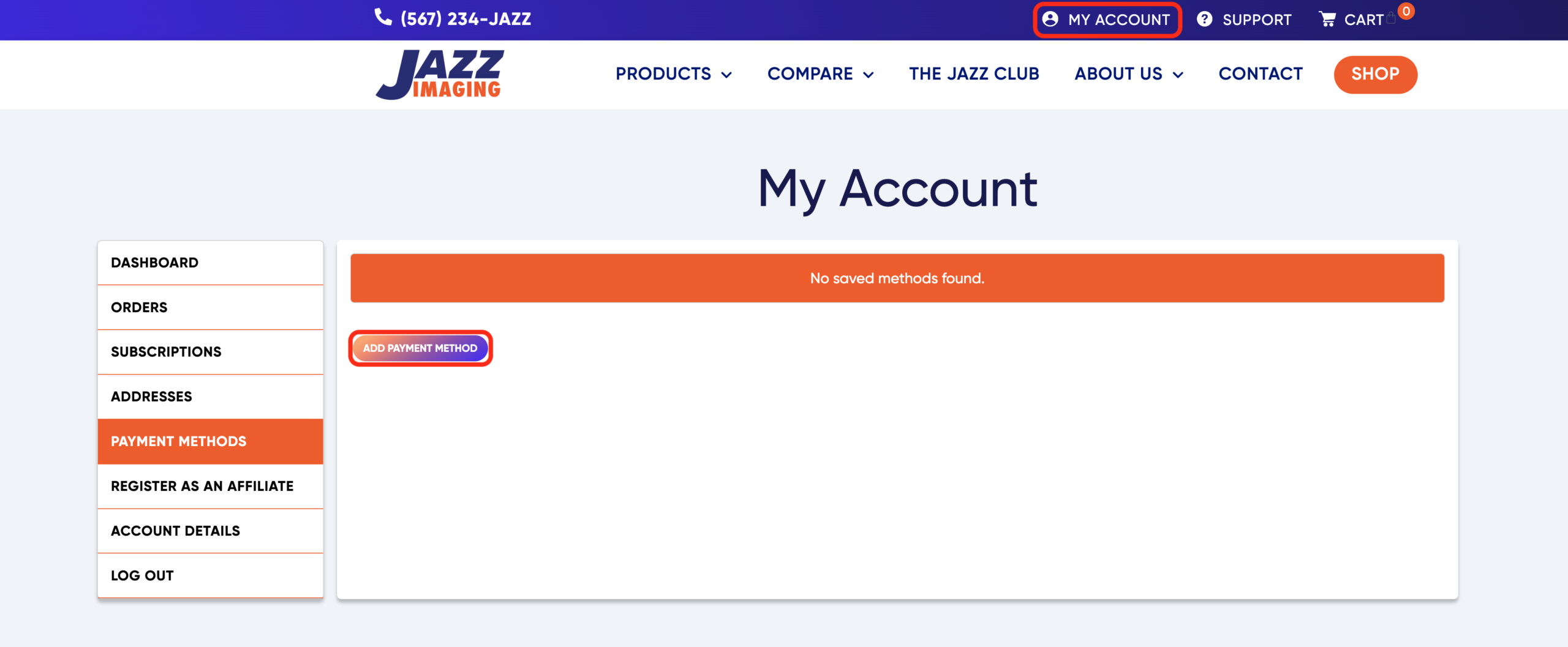
- On the Jazz Imaging website, Navigate to My Account
- Click Payment Method in the left menu, then Add Payment Method
- Enter your new payment details, then click Add Payment Method to save your entry
- Remove any Expired Payment Methods, if applicable
Edit a Payment Method
You can add a Nickname to your saved payment methods for easy identification and management.
- Click Edit next to an existing payment method to enter a Nickname
- Click save when finished
Delete a Payment Method
- Choose Delete next to an existing payment method to remove it from the list
Need Assistance?
Contact Jazz Support at support@jazzimaging.com